Franchise

All Courses

Type a course name or short form (acronym) to find any course quickly.

Career-Ready · Industry-Focused

CCC

CCC-Certificate in Computer ConceptsIntroductionWelcome to the Computer Concepts (CCC) course, a thoughtfully designed program that introduces you to the fundamentals of computing. Whether you’re a student, job seeker…

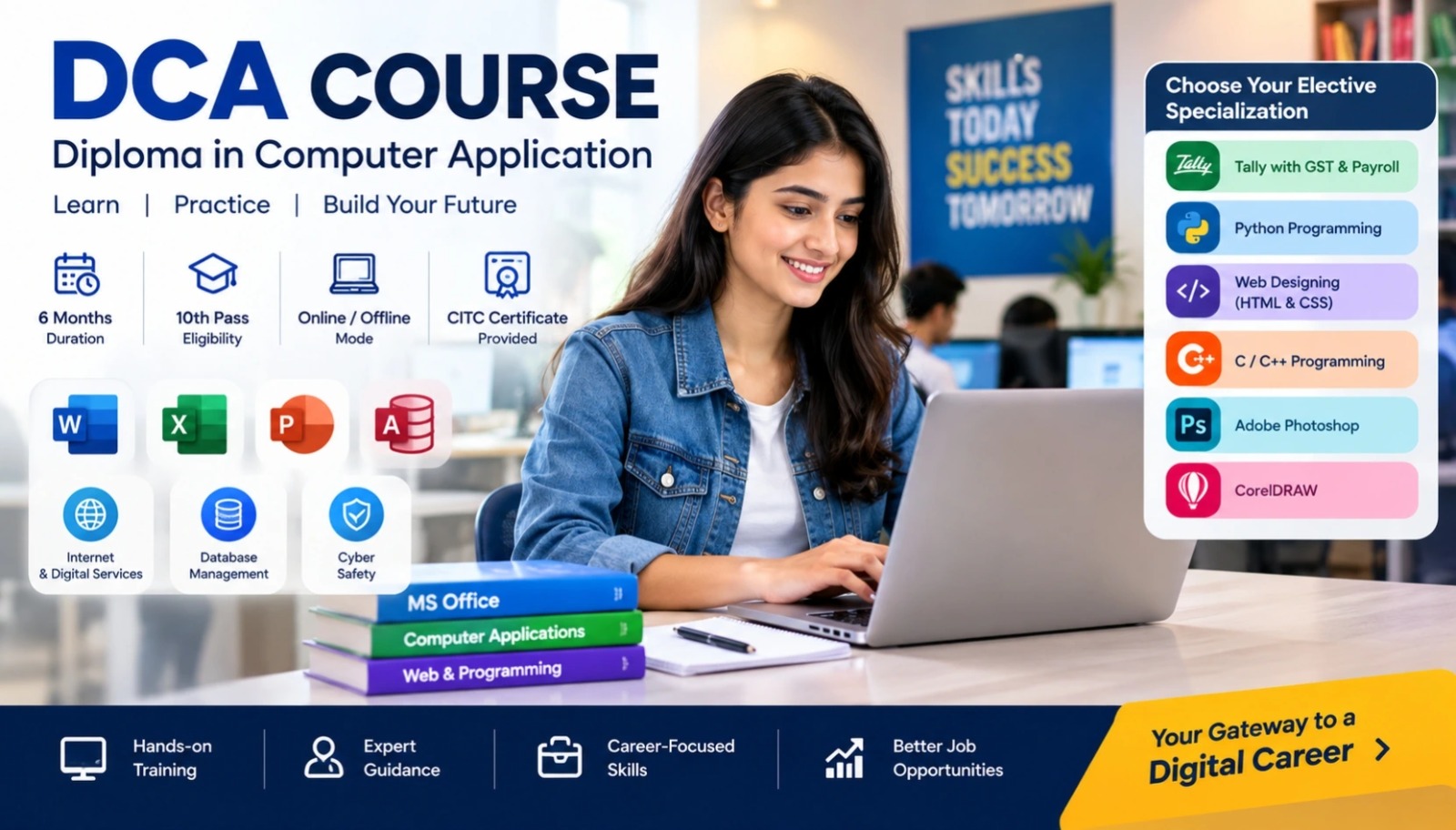
Duration 3 Months Mode Online / Offline Eligibility 10th CITC Certified Placement Support

Certificate In Computer Concepts Ccc

Start Date 1 October 2026
Duration 3 Months
Mode Online / Offline
Certification CITC Certified
Batch / Course CCC
Enroll Now

Click here for CITC All Courses FEES

Course Highlights

What you get when you enrol with CITC

Industry-ready Curriculum
Practical Learning
CITC Certificate
Flexible Batches
Placement Support
Career Guidance
1,638+ Franchises
37,006+ Students
435+ Courses
9,252+ Govt. Placements
20,353+ Private Placements
Certificate In Computer Concepts Ccc

CCC-Certificate in Computer Concepts


Introduction

Welcome to the Computer Concepts (CCC) course, a thoughtfully designed program that introduces you to the fundamentals of computing. Whether you’re a student, job seeker, or simply looking to gain basic computer knowledge, this course helps you confidently use a computer in everyday life and work.

With the growing demand for computer education, having a solid foundation is essential. The CCC course ensures that even beginners can learn at a comfortable pace. Offered both online and offline, this course is perfect for anyone searching for computer courses near me or wanting to gain a computer certificate in a short span of time.

Course Papers / Subjects

What you will study in this programme

01
Introduction to Computers
02
Introduction to Operating Systems
03
Word Processing (MS Word / LibreOffice Writer)
04
Spreadsheet (Excel / LibreOffice Calc)
05
Database Management (MS Access)
06
Presentation Software (PowerPoint / Impress)
07
Internet and WWW
08
Email & Social Networking
09
E-Governance & Online Services
10
Digital Financial Tools
11
Cyber Security & Future Technologies

Syllabus (Module-wise)

Expand each topic for details

Module 1

Course Papers

  • Computer Fundamentals, MS-Office

  • Definition, characteristics, and applications of computers
  • History and generations of computers
  • Classification: Micro, Mini, Mainframe, Supercomputers
  • Basic components: CPU, monitor, keyboard, mouse
  • Input, output, and storage devices (Hard disk, SSD, Pen drive)
  • Types of software: System vs. Application software

  • Role and functions of an operating system
  • Types of operating systems: DOS, Windows, Linux (basic intro)
  • File management: create, rename, delete files and folders
  • Working with desktop, icons, start menu, and control panel
  • Basic OS settings: date/time, resolution, themes

  • Creating, saving, and opening documents
  • Editing text: cut, copy, paste, undo, redo
  • Formatting: font style, size, color, bold, italic, underline
  • Paragraph formatting: alignment, spacing, bullets, numbering
  • Inserting tables, pictures, shapes, SmartArt, and symbols
  • Page layout: margins, orientation, size, columns, breaks
  • Using styles, themes, and templates
  • References: table of contents, footnotes, endnotes, citations
  • Mail merge for letters, labels, and emails
  • Review tools: spell check, track changes, comments
  • Working with header, footer, and page numbers
  • Print preview, printing, and exporting documents
  • Document protection and security features

  • Workbook, worksheets, rows, columns, and cells
  • Entering, editing, and formatting data
  • Basic formulas and functions: SUM, AVERAGE, MAX, MIN
  • Cell referencing: relative, absolute, mixed
  • Sorting, filtering, and conditional formatting
  • Creating charts: bar, pie, line
  • Page layout, print settings, and printing
  • Using data validation and drop-down lists
  • Working with named ranges
  • Creating and using Pivot Tables and Pivot Charts
  • Logical and lookup functions: IF, VLOOKUP, HLOOKUP, COUNTIF
  • Sheet and workbook protection

  • Understanding databases: fields, records, tables
  • Creating and saving a database
  • Creating tables with different data types
  • Designing forms for data entry
  • Querying data using Select and Parameter queries
  • Creating simple reports
  • Sorting and filtering records
  • Relationships and referential integrity
  • Importing/exporting data from Excel
  • Basics of macros and database security

  • Creating and managing slides
  • Using slide layouts and design templates
  • Inserting text, images, charts, tables, audio, and video
  • Applying transitions and animations
  • Running and customizing slide shows
  • Adding speaker notes and handouts
  • Printing slides and exporting presentations
  • Using Slide Master for consistent formatting
  • Custom slide shows and hyperlinking
  • Presenter view and setting slide timings
Module 2

Course Papers

  • Internet & Digital Services

  • Basics of Internet, web, ISP, IP address
  • Web browsers: Chrome, Firefox, Edge
  • Using search engines (Google) effectively
  • Downloading and uploading files
  • Cookies, cache, browser history, and private browsing

  • Creating and managing an email account
  • Sending and receiving emails, using attachments
  • Using CC, BCC, folders, and managing spam
  • Basics of Facebook, Twitter, WhatsApp, LinkedIn
  • Online etiquette, privacy, and security settings

  • Applying online for PAN, Aadhaar, Voter ID, Passport
  • Paying utility bills online (electricity, water, gas)
  • Booking appointments and railway tickets
  • Using DigiLocker and UMANG app

  • Introduction to UPI, BHIM, USSD, AEPS
  • Mobile wallets: Paytm, PhonePe, Google Pay
  • Internet and mobile banking basics
  • Using POS machines and QR code payments
  • Digital transaction steps and safety measures

  • Basics of cyber security
  • Common threats: malware, phishing, ransomware
  • Safe internet practices, antivirus usage
  • Introduction to AI, ML, Cloud computing, Blockchain, Big Data, AR/VR

What You Will Learn & Career Scope

Details from the course content

Why Choose This Course?

The CCC computer course is among the best computer courses for beginners. It’s an excellent start if you’re looking to explore computer learning or expand your basic computer course knowledge. Whether you're aiming for a ccc certificate to boost your resume or preparing for future education or job roles, this course offers practical skills in a structured way.

Being part of the 3-month computer courses list, it offers a balance of theory and hands-on training, making it ideal for both students and professionals. With options for online computer courses and offline classes, you get the flexibility to learn the way that suits you best.

What Will You Learn?

  • Understand the basics of computer hardware and software
  • Work confidently with Windows or Linux operating systems
  • Create and edit documents, spreadsheets, and presentations
  • Use the internet safely and effectively for everyday needs
  • Manage email and social media accounts
  • Access government services online
  • Perform digital financial transactions securely
  • Stay informed about cyber security and future tech trends
  • Earn a ccc certificate that validates your skills


Opportunities After This Course

  • Government and private sector jobs requiring computer certificate
  • Office administration and data entry roles
  • Freelance or remote work involving document and spreadsheet tasks
  • Continuing into more advanced computer courses
  • Helping others by providing basic computer education


Who Can Enroll?

  • School or college students
  • Homemakers looking to upskill
  • Job seekers
  • Small business owners
  • Senior citizens eager to explore computer learning
  • Anyone interested in computer courses near me or online computer courses


Enroll Now

Take the first step towards digital empowerment with this Computer Concepts (CCC) course. Whether you prefer learning in a classroom or from the comfort of your home, we’ve got you covered with both online and offline options.

Join one of the best computer courses available today and earn your ccc certificate in just 3 months! Start your journey in computer education with us now.

here is test to social proof

social proofing

hahgahahs

hahgahahs

test

test

test 2

test 2